
Event Planner: Birthday, Party
Wedding Planner AppEvents
4.147.00 Reviews
- Version
- 4.12.52
- Installs
- 100.00K
- Age Rating
- Everyone
Screenshots
Our Review of Event Planner: Birthday, Party
 Analysis by Appyee
Planning a celebration usually means juggling guest names, small purchases, replies and deadlines in several places. I like the idea of keeping those moving parts together, and Event Planner: Birthday, Party is aimed at doing just that. It is an events app from Wedding Planner App, but its scope reaches beyond birthdays: I can see it being useful for anniversaries, holiday gatherings and other occasions where a host needs a simple plan rather than a professional production workflow.
Start by deciding what you need to keep in view
Before choosing any event app, I’d ask what tends to slip through the cracks. If the trouble is remembering who has replied, what still needs doing and whether spending is creeping up, a single planning space can be more useful than another inspiration board. This app’s combination of guest management, tasks and budgeting is its clearest reason to consider it.
It is free to install, has an Everyone age rating and is on version 4.10.44. The app has a 4.2 average from around 1,200 ratings, with over 100,000 installs. Those figures suggest it has found a real audience, though they don’t tell me whether its workflow will suit every kind of host. Optional in-app purchases range from $1.99 to $44.99 per item, so I’d check what is included before paying for anything.
Where one planning space makes a difference
The practical benefit is not that any one checklist is extraordinary; it is that the guest list, reminders and spending notes can sit alongside the event itself. For a casual birthday, that can reduce the mental switching between a notes app, a spreadsheet and a messaging thread. The developer’s name, Wedding Planner App, hints at a planning focus, while the app’s use cases extend naturally to family and seasonal events.
A useful way to work is to create the event first, then add only the details that affect decisions: invitees, a few firm deadlines and expected costs. I wouldn’t try to record every tiny idea immediately. Keeping the plan focused makes it easier to see whether the venue, food and guest count still fit together, instead of turning the app into a long list no one wants to maintain.
Use reminders to protect the decisions that matter
Customizable alerts can help with deadlines that have consequences, such as confirming a venue or settling the menu. I’d reserve reminders for decisions that need action by a particular day, rather than adding an alert for every task. Too many notifications become background noise; a short list of meaningful prompts is more likely to help when the week gets busy.
For example, if I were arranging a birthday dinner after work, I could note the people I’ve invited, keep a reminder to confirm the table and track a few planned costs. When replies come in, the guest list gives me a place to review attendance before making a final decision. That is more useful than relying on memory, especially when people respond through different conversations.
Personal details are useful, but keep the plan practical
Invitation themes, color choices and photo touches can make an event feel personal without requiring a separate design project. I’d choose those details after the basic plan is stable: first settle the date, guest count and essential arrangements, then spend time making the invite feel right. That order avoids polishing an invitation before knowing whether the event details are settled.
The app is a better fit for someone who enjoys shaping a gathering and wants a manageable place to coordinate it. It is less compelling for a host who only needs to send one quick message, or for a large event that depends on complex vendor schedules and many people editing the same plan. In those cases, a shared spreadsheet, a group calendar or dedicated event-management software may offer a better match for the team’s existing habits.
Know what you are trading for convenience
Compared with a basic notes app, this planner brings event-focused tools together, but a notes app may be faster for a one-off reminder. A spreadsheet can be more flexible when you want custom columns or detailed cost calculations. A group chat is often the easiest place to talk, yet it can bury confirmations and decisions in a stream of messages. The sensible choice depends on which problem causes the most friction, not on how many tools an app appears to offer.
There is also a small setup cost: you need to enter and maintain the plan for the app to stay useful. If a partner or family member is handling half the arrangements, agree on who will update the guest list and tasks so information does not drift across separate systems. For a simple event, I’d avoid duplicating the same details in several apps; that creates more cleanup than control.
A measured recommendation
Event Planner: Birthday, Party was released on August 18, 2022, and its minimum operating-system requirement is Android 8.0. I’d consider it for a birthday host, a family organizer or someone coordinating recurring celebrations who wants guests, tasks and a budget in one event-oriented place. Its broad holiday use also makes it more adaptable than a tool built only around one type of party.
I would skip it if I already have a reliable system that everyone involved uses, or if my event is so simple that a message and a calendar entry are enough. I’d also compare the optional purchases with my actual needs before spending, rather than assuming every extra is essential. For a modest gathering where small details are easy to forget, though, the app offers a sensible structure without making planning feel like a full-time job.
If you've ever tried organizing a birthday party, you know it can be both exciting and a tad overwhelming. Enter Event Planner: Birthday, Party, an app designed to simplify the process and make party planning a breeze. I've given this app a whirl, and here's the lowdown on how it can transform your next celebration.
Getting Started with Event Planner
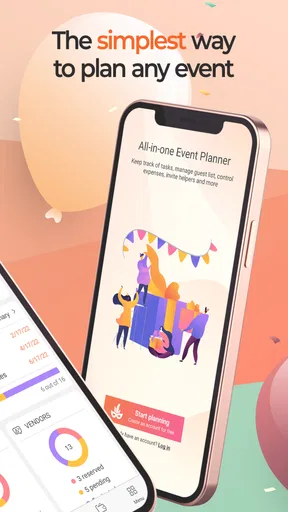
From the moment you download Event Planner: Birthday, Party, the app greets you with an intuitive interface. It's like having a personal assistant right on your phone. Setting up is straightforward — no complex tutorials or head-scratching moments here. You log in, enter some basic details about your event, and you're off to the races.
A Toolbox for Party Planning
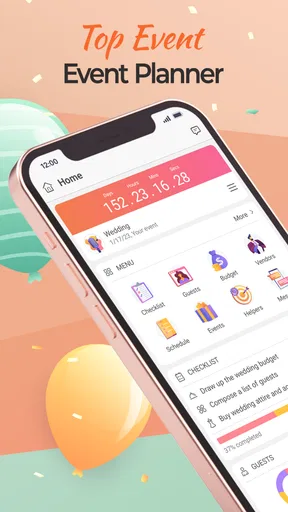
The app is packed with features that cater to every aspect of party planning. You can create guest lists, send out invites, and manage RSVPs all from one place. It's like having a digital clipboard that keeps everything organized.
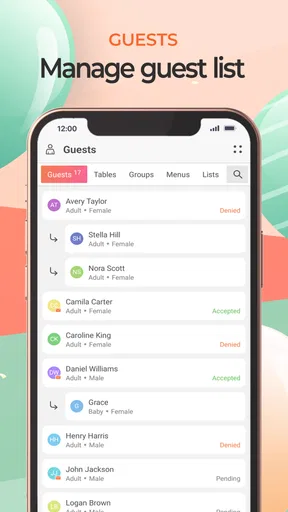
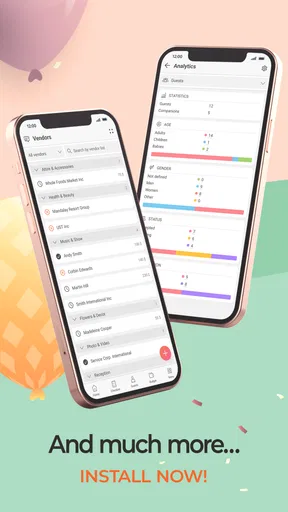
- Guest Management: Easily track who’s coming and who’s not. It even syncs with your contacts for seamless invite sending.
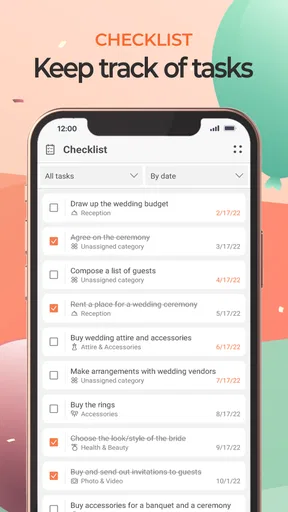
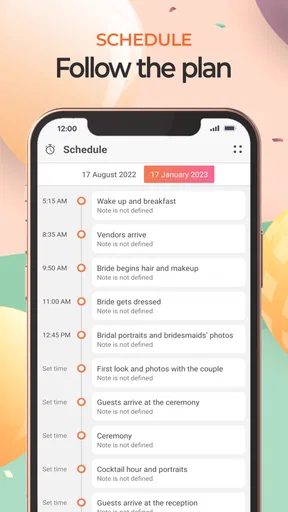
- Task Lists: From ordering the cake to setting up decorations, you can jot down every task and tick them off as you go.
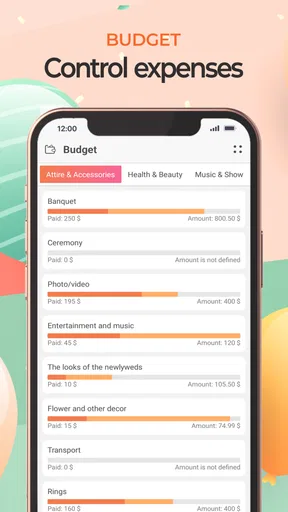
- Budget Tracker: Keep tabs on your spending with a built-in tool that helps you manage costs effectively.
One of my favorite features is the customizable reminders. You can set alerts for crucial deadlines like confirming the venue or finalizing the menu. It’s like having a nagging friend who actually helps!
Design and Usability
The design is sleek and modern, making it a pleasure to use. I found the navigation smooth, with everything logically laid out. The app runs without a hitch, and I didn’t experience any bugs or crashes — a big relief when you're in the thick of planning.
For those of us who aren’t tech-savvy, the app feels accessible. You don’t need to be a whiz to figure out how things work. The developers clearly put thought into making it user-friendly for all age groups.
Customization and Personal Touches
One of the standout elements of Event Planner: Birthday, Party is the ability to personalize your event. From themed templates for invites to customizable color schemes, it allows you to add a unique flair to your party. This is particularly handy if you have a specific vision in mind.
There's also a nifty feature that lets you upload photos to your invites, giving them a personal touch that’s sure to impress your guests. It’s these little details that make the app a joy to use.
What About the Social Element?
In today’s connected world, social sharing is a must. The app integrates seamlessly with platforms like Facebook and Instagram, allowing you to share updates and engage with your guests. You can even create a hashtag for your event, making it easy to collect photos and memories in one place.
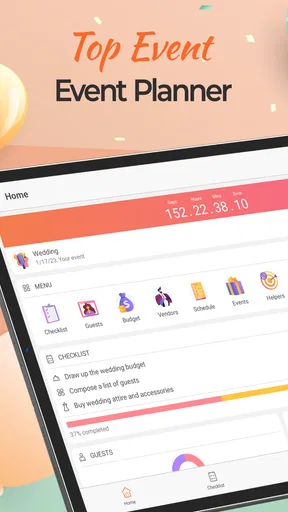
For those who love a good countdown, there's a feature that lets you share a countdown timer with your guests. It’s a fun way to build excitement as the big day approaches.
Wrapping It Up
So, is Event Planner: Birthday, Party worth downloading? If you’re looking to simplify your party planning and add a touch of flair to your events, I’d say absolutely. It’s a handy tool that takes the stress out of organizing, leaving you more time to enjoy the celebration.
Whether you're planning a small gathering or a grand bash, this app is like having a seasoned planner in your pocket. Give it a try, and you might just wonder how you ever managed without it. Happy planning!
Verdict
Strengths of Event Planner: Birthday, Party
- User-friendly interface for easy navigation.
- Customizable themes for personal touch.
- Integrated RSVP tracking feature.
- Syncs with calendar apps seamlessly.
- Offers budget planning tools.
Limitations of Event Planner: Birthday, Party
- Limited free features; paid upgrades needed.
- Occasional glitches during peak usage.
- No offline access; internet required.
- Limited theme options in free version.
- Ads can be intrusive for free users.
Other Releases by Wedding Planner App
View All
Wedding Planner by MyWed
Events4.4
Similar Picks in This Category
View All
Easy Quran Mp3 Audio Offline
Muslim Worldapp4.7

Invitation Maker: Cards & RSVP
Greetings Island4.9

StubHub - Live Event Tickets
StubHub4.3

Fever: Events & Tickets
Fever Labs4.7

Epic Freebie Games Radar
Arioch Pds - Apps & Games4.4

Invitation card Maker, Design
Splendid App Maker4.9
Frequently Asked Questions
What features does the Event Planner: Birthday, Party app offer?
Event Planner: Birthday, Party provides a comprehensive suite of features to streamline event planning. Users can create guest lists, send invitations, and manage RSVPs. The app also offers budget management tools, customizable checklists, and reminders for important tasks, ensuring that every aspect of your event is organized efficiently.
Is the app free to use, or are there in-app purchases?
The Event Planner app is free to download and use, offering basic features at no cost. However, it includes optional in-app purchases that enhance functionality. Premium features may include advanced customization options, additional themes, and removal of ads. These purchases are designed to provide a more tailored and ad-free experience.
Can I sync the app with my calendar?
Yes, the Event Planner app can be synced with your device's calendar. This integration allows you to view all your event tasks and deadlines in one place, ensuring you never miss an important date. Syncing also helps in managing your time more effectively by coordinating your event schedule with other commitments.
How user-friendly is the app for beginners?
The app is designed with user-friendliness in mind, featuring an intuitive interface that guides beginners through the event planning process. It includes tutorials and tips for first-time users, making it easy to navigate and utilize all available features. Whether you’re planning a small gathering or a large party, the app simplifies the process for everyone.
Is there customer support available if I encounter issues?
Yes, the Event Planner app offers dedicated customer support to assist users with any issues they may face. Support is available via in-app chat, email, and an extensive FAQ section. The support team is responsive and aims to resolve any queries promptly, ensuring a smooth user experience.
